Are you deciding between a regular label printer and an RFID-enabled one? As businesses push toward smarter operations, many procurement teams find themselves evaluating whether it’s time to upgrade to RFID printing technology—or stick with a standard label printer. This guide is written specifically for decision-makers like you. If you’re wondering whether an RFID printer is worth the investment for your operation, or trying to understand how it differs from the printers you’re already using, you’re in the right place.
1. What is an RFID Printer?
An RFID printer is a specialized type of label printer that not only prints text and barcodes on the surface of a label, but also encodes data onto an embedded RFID chip inside the label itself. This dual capability makes it a powerful tool for industries that require automated, high-accuracy tracking.
From the outside, RFID printers often look and operate much like regular thermal or thermal transfer label printers. They use the same methods—direct thermal or ribbon-based thermal transfer—to print visual information like barcodes, QR codes, or product names. However, what sets them apart is what’s happening under the surface.

Inside the RFID label is a tiny integrated chip and antenna. During the printing process, the RFID printer communicates with this chip, writing specific data to it such as a unique identifier, SKU, asset ID, or shipment code. Once encoded, the tag can be read remotely by RFID readers, even without direct line-of-sight—making it a game-changer for real-time tracking, automation, and bulk scanning.
In short, an RFID printer is everything a regular label printer is—plus the power to write data onto smart labels. This added functionality unlocks a new level of efficiency and visibility for businesses operating at scale.
2. Regular Printer: Key Features and Use Cases
A regular label printer, typically using thermal or thermal transfer printing technology, is designed to print visible information on labels—such as barcodes, QR codes, serial numbers, and product descriptions. These printers are widely used across industries because they’re cost-effective, easy to operate, and well-suited for basic labeling needs.
There are two main types of regular printers:
Direct Thermal Printers – Use heat-sensitive paper; ideal for short-term labels like shipping labels.
Thermal Transfer Printers – Use a ribbon to transfer ink to the label; better for long-lasting or durable applications.
What regular printers do not offer is the ability to encode RFID tags. They strictly handle the visual side of labeling, which means every item must be scanned manually using a barcode or QR reader. This can be sufficient for many operations, especially those with lower item volumes, minimal automation needs, or basic inventory control systems.
Common Use Cases for Regular Printers:
Warehousing & Inventory: Shelf or box labels for manual barcode scanning.
Retail: Price tags, product labels, and shelf labeling.
Logistics: Shipping labels, tracking numbers, and packing slips.
Healthcare: Patient wristbands, sample labels (non-RFID environments).
If your business relies on human-readable information or scannable barcodes, and doesn’t require automated identification or non-line-of-sight tracking, a regular printer may meet all your needs—at a lower cost and with minimal setup.
3. RFID Printer vs Regular Printer: Key Differences
To help you clearly understand the differences between an RFID printer and a regular printer, here’s a side-by-side comparison across the most important aspects:
| Feature | RFID Printer | Regular Printer |
| Chip Encoding | ✅ Yes – can write data to RFID chips embedded in labels | ❌ No – cannot encode or interact with RFID chips |
| Data Read Method | Remote or bulk reading via RFID readers | Requires direct line-of-sight barcode/QR code scanning |
| Visual Label Printing | ✅ Yes – prints text, barcodes, etc. | ✅ Yes – prints text, barcodes, etc. |
| Initial Cost | Higher upfront investment | Lower initial cost |
| Long-Term ROI | High in automated, high-volume environments | Lower, suitable for simpler operations |
| Ideal Use Cases | Asset tracking, logistics, inventory automation | Standard labeling, manual tracking |
| Software Requirement | Requires RFID encoding software and integration | Usually works standalone or with basic label software |
| Automation Support | Excellent – enables touchless ID and system integration | Limited – relies on manual scanning |
| Line-of-Sight Needed | ❌ No – tags can be read through boxes or containers | ✅ Yes – scanner must see the barcode or label |
As the table shows, RFID printers go beyond traditional printing by enabling automated identification and real-time data writing—ideal for businesses embracing digital transformation. Meanwhile, regular printers remain a practical solution for businesses with straightforward labeling tasks and no need for RFID functionality.
4. Common Use Cases for RFID Printers
Still wondering if an RFID printer makes sense for your business? The answer lies in how you manage assets, inventory, and data flow. RFID printers shine in environments where speed, automation, and accuracy are critical.
Here are some of the most common and high-impact use cases:
Warehouse Management
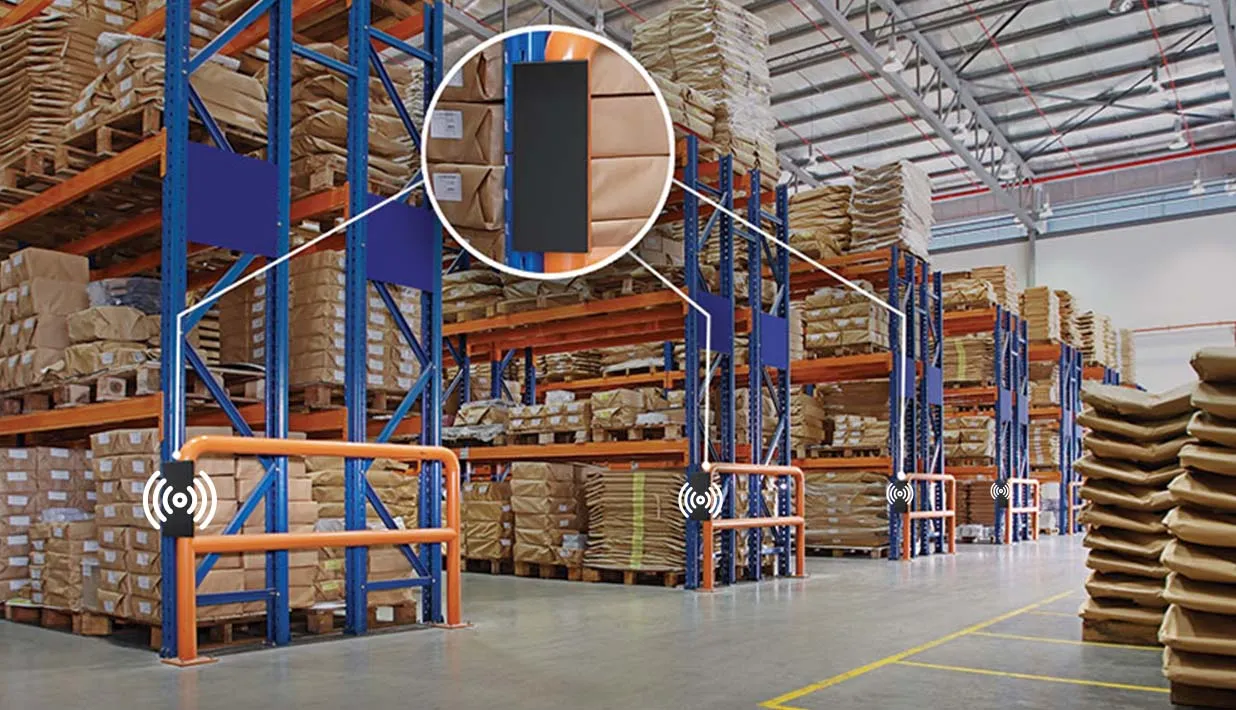
RFID tags can be applied to pallets, cartons, and individual items—allowing staff to track large volumes of inventory without scanning each barcode manually. This boosts efficiency and minimizes errors in picking, packing, and shipping.
Asset Tracking
Need to track IT equipment, tools, medical supplies, or high-value assets? RFID labels printed with unique identifiers enable real-time location visibility and audit-ready records—whether inside a facility or across distributed sites.

Logistics & Supply Chain
RFID labels allow logistics teams to track shipments without opening boxes or manually scanning labels. This reduces bottlenecks at checkpoints and improves supply chain transparency.
Retail & Loss Prevention
Retailers use RFID to track individual items on shelves, manage stock levels, and prevent theft. Printed RFID tags support smart shelves, self-checkout systems, and automated inventory alerts.
Pro Tip: If your operations would benefit from contactless tracking, faster data capture, or automated inventory updates, RFID printing is likely the smarter choice over traditional label printing.
5. Is an RFID Printer Worth the Investment?
It’s a valid question—and one every procurement team must ask: Is an RFID printer really worth the higher upfront cost? The answer depends on how you value long-term efficiency, accuracy, and scalability.
Upfront Costs vs. Long-Term Gains
Yes, RFID printers typically cost 2–5 times more than regular label printers. But this investment often pays off in operational environments where speed, automation, and real-time visibility are essential.
Here’s how RFID printing delivers ROI over time:
Reduced Labor Costs: No more manual barcode scanning—read hundreds of tags at once with a single RFID reader.
Fewer Errors: RFID encoding minimizes the risk of mislabeled or misidentified items.
Faster Throughput: Streamlined workflows mean faster receiving, picking, packing, and shipping.
Data Accuracy: Real-time data capture supports better planning, forecasting, and compliance.
When RFID is a Smart Investment
You should seriously consider an RFID printer if your business:
Handles high volumes of inventory or assets
Requires precise tracking for compliance or audits
Is working toward warehouse automation or digital transformation
Experiences frequent labeling errors or bottlenecks
A Simple Evaluation Framework
Ask yourself the following:
How often do you print labels? – Higher frequency = higher ROI.
What’s the value of the assets you’re tracking? – The more critical they are, the more RFID adds value.
Do you need automated systems integration? – RFID integrates better with WMS/ERP platforms.
Are manual tracking errors costing you money or time? – RFID reduces human error significantly.
For businesses managing dynamic, high-value, or high-volume operations, the long-term operational savings and visibility offered by RFID often far outweigh the initial expense.
6. What About Complexity and Integration?
A common misconception about RFID printing is that it’s difficult to set up or operate. But the truth is—modern RFID printers are designed with user-friendliness and system compatibility in mind.
Familiar User Experience
If your team is already using thermal printers, you’ll find that RFID printers operate in a very similar way:
Most models use the same label design software (like BarTender or ZebraDesigner)
Many support common command languages such as ZPL (Zebra Programming Language)
User interfaces are often touchscreen-based or menu-driven, just like regular printers
For most businesses, there’s no steep learning curve—especially when working with a supplier that provides technical support and training.
Seamless Integration with Existing Systems
Modern RFID printers are built to integrate smoothly into existing IT environments. Many support:
Windows drivers and print spoolers
WMS, ERP, and asset management systems
Middleware or APIs for custom workflows
Some advanced models even offer remote monitoring, configuration, and diagnostics, making it easier for IT teams to manage multiple units across different facilities.
Tip: To simplify deployment, choose RFID printers that come with plug-and-play setup, software compatibility, and remote management tools.
In short, while RFID technology sounds sophisticated, the printing side is surprisingly straightforward—especially with the right printer and vendor support.
7. Conclusion
In this article, we’ve explored the key differences between RFID printers and regular label printers. If your business is ready to enhance tracking accuracy, improve operational automation, and embrace digital transformation, investing in an RFID printer is a strategic move.

UHF RFID Printer AZ-CP30
For those seeking a reliable, high-performance RFID printing solution, the UHF RFID Printer AZ-CP30 offers an excellent balance of features and cost:
Price: $1,060.00 – $1,150.00, competitive for its capabilities
Print Speed: Up to 8 inches per second for efficient throughput
RFID Support: UHF RFID, 860–960 MHz frequency, EPC C1G2 (ISO 18000–6C) compliant
Smart Features: Automatic printer head recognition and configuration without PC setup
Print Resolution: Options for 203 dpi and 300 dpi to meet different quality needs
Memory: Large storage with 128 MB DDR2 RAM and 256 MB Flash for smooth operation
Connectivity: Standard USB Host, USB Type-B, Ethernet; optional Wi-Fi and Bluetooth modules for flexible deployment
This printer is ideal for businesses needing fast, reliable RFID label encoding with easy integration and minimal setup hassle. Whether you operate in logistics, warehousing, retail, or asset management, the AZ-CP30 can support your automation and tracking goals effectively.
Ready to take the next step? Contact us today to learn how the UHF RFID Printer AZ-CP30 can be customized for your industry needs and to get a personalized quote.
FAQs
1. Do I really need an RFID printer for my business?
If your business involves tracking high volumes of items, needs real-time inventory accuracy, or is moving toward automation, an RFID printer is a smart long-term investment. However, if your use case only requires visual identification or barcode scanning, a regular printer might suffice.
2. How expensive are RFID printers compared to regular ones?
RFID printers typically cost 2–5x more upfront than standard printers. But the ROI comes from reduced labor, faster operations, and fewer errors—especially in high-throughput environments like warehouses, manufacturing, or logistics.
3. Is it difficult to set up and use an RFID printer?
Not necessarily. Most modern RFID printers come with intuitive software, plug-and-play drivers, and are compatible with existing ERP/WMS systems. The learning curve is mild for most teams already used to thermal label printing.
4. Can I use RFID labels with a regular printer?
No. Regular printers can print on the label surface, but they can’t encode the RFID chip embedded inside. Only RFID-enabled printers can write data into those chips for automated scanning.
5. What industries benefit most from RFID printing?
Industries like logistics, manufacturing, healthcare, retail, and asset-heavy enterprises benefit greatly—especially where item-level tracking, compliance, or automation is a strategic priority.
Recommended Products

UHF RFID Printer AZ-CP30
Print speed up to 8 ips. With RFID function supporting UHF RFID, 860–960 MHz, and EPC C1G2 (ISO 18000–6C), with the function to automatically identify the printer head with 203 dpi and 300 dpi and automatically configure the printer without PC settings. With super large storage, DDR2 RAM 128 MB, Flash 256MB. Support multiple interfaces, USB HOST, B-type USB, Ethernet port for standard, Wi-Fi, and Bluetooth module for optional.