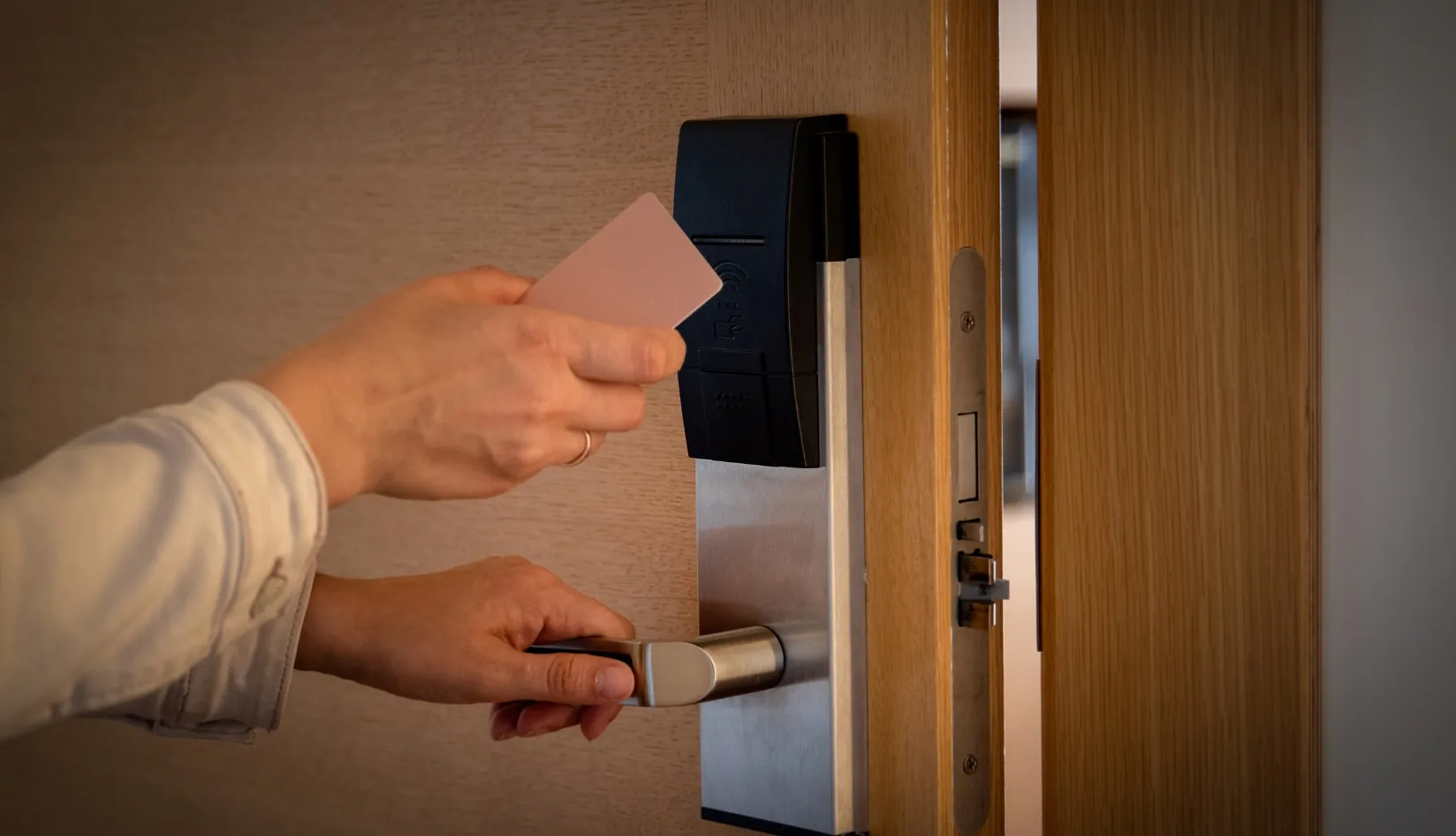
RFID cards are widely used in hotels, offices, access control systems, and membership programs, but many users overlook one important fact:
Most RFID card failures are preventable.
With proper handling and maintenance, you can significantly extend the lifespan of your cards and reduce replacement costs.
This guide explains how to properly care for RFID cards and avoid common damage issues.
Before You Start
If your RFID card is already not working or showing issues, follow this troubleshooting guide first:
RFID Card Not Working? Follow This Quick Troubleshooting Flow
It helps you quickly identify whether your card can be fixed or needs replacement.
1. Why RFID Card Care Matters
RFID cards are designed for long-term use, but their lifespan is not unlimited.
In reality, how long they last depends heavily on one simple factor:
how well they are maintained.
Without proper care, RFID cards can gradually develop issues such as:
- Reduced readability
- Surface wear and physical damage
- Complete functional failure
The good news? Most of these problems are preventable with basic maintenance.

Regular Care Makes a Difference
Longer Lifespan
Well-maintained RFID cards wear out much more slowly.
This means fewer replacements and more stable long-term use.
Better Operational Efficiency
When cards are properly handled, they:
- Work more consistently
- Reduce access failures
- Minimize daily workflow interruptions
Especially important for hotels, offices, and access control systems.
Lower Long-Term Costs
Replacing RFID cards frequently adds unnecessary cost.
By extending card lifespan, businesses can:
- Reduce replacement frequency
- Lower maintenance workload
- Improve budget efficiency over time
2. How to Care for Different RFID Card Materials to Prevent Damage
RFID cards come in various materials, each tailored for specific purposes and environments. Understanding their unique properties is crucial for effective maintenance. Here’s a closer look at how to care for the most common types of RFID cards.
2.1 Wooden RFID Cards: Unique and Stylish, Yet Delicate
Wooden RFID cards are often used in luxury branding due to their natural texture and premium appearance. However, they are more fragile than standard plastic cards.
Care Tips:
Avoid physical stress
- Do not bend or apply pressure
- Avoid stacking heavy objects on top
Protect from moisture
- Keep away from water and humidity
- Store in a dry environment at all times
Avoid heat and sunlight
- Do not expose to direct sunlight
- Avoid high-temperature environments
Clean gently
- Use a soft, dry cloth only
- If wet, gently blot—do not scrub
- Avoid chemical cleaners or alcohol-based solutions

2.2 PVC RFID Cards: Durable and Versatile
PVC RFID cards are the most commonly used type in hotels, offices, and transport systems. They are designed for daily use, but proper care is still essential to maintain performance and appearance.
Care Tips:
Avoid direct sunlight
- Long-term UV exposure can fade colors
- Can also make the card brittle over time
Prevent heat and humidity exposure
- High temperatures may cause warping
- Humidity can affect internal chip stability
Clean with soft materials only
- Use a dry, soft cloth for regular cleaning
- For stains, lightly dampen cloth if necessary
- Avoid abrasive materials and harsh chemicals
2.3 BioPoly™ Vinyl Cards: Eco-Friendly and Durable
BioPoly™ Vinyl cards combine sustainability with durability. Made with bio-based additives and 97% PVC content, they offer a more environmentally conscious solution without sacrificing performance.
Care Tips:
Store in stable conditions
- Keep away from direct sunlight
- Avoid high heat environments to prevent degradation
Use gentle cleaning methods
- Wipe with a soft, lint-free cloth
- Avoid strong cleaning agents or solvents
Minimize moisture exposure
- More resistant than paper or wood
- Still best kept in dry environments for long-term stability
2.4 BioPoly™ Stone Cards: Durable and Eco-Friendly with a Paper Feel
BioPoly™ Stone cards are made primarily from calcium carbonate, offering a strong and eco-friendly alternative with a unique textured finish.
Care Tips:
Avoid harsh chemicals
- Do not use acidic or alkaline cleaners
- Can damage surface texture and durability
Clean gently
- Use a soft cloth with mild detergent if needed
- Avoid abrasive sponges or scrubbing tools
Store properly
- Keep in dry, cool environments
- Avoid prolonged heat or direct sunlight exposure
2.5 100% Plastic Free (Paper) RFID Cards: Lightweight and Delicate
Paper RFID cards are ideal for temporary applications such as events, promotions, and short-term access control. However, they are the most delicate type.
Care Tips:
Avoid moisture at all costs
- Paper absorbs water easily
- Even small exposure can damage functionality
Store in protected environments
- Keep away from humidity
- Avoid direct sunlight to prevent fading
Handle with dry methods only
- Do not use water or liquid cleaners
- Clean only with a dry, soft cloth
3. How to Store RFID Cards for Security and Longevity
Proper storage plays a key role in extending RFID card lifespan and maintaining stable performance.
Unlike day-to-day handling care, storage focuses on long-term protection, organization, and security management.
3.1 Maintain a Stable Storage Environment
RFID cards should always be stored in controlled conditions.
- Keep temperature stable (avoid extreme heat or cold)
- Avoid high humidity or damp environments
- Store in dry, indoor spaces whenever possible
This helps prevent long-term material degradation and chip instability.
3.2 Prevent Physical Pressure and Deformation
Even when not in use, RFID cards can be damaged by poor storage habits.
- Store cards flat to avoid bending
- Do not place heavy objects on top
- Avoid stacking too many cards together
Long-term pressure can damage internal antennas.

3.3 Reduce Interference Risks During Storage
RFID cards are sensitive to strong electromagnetic environments.
- Keep away from industrial equipment or strong electronic devices
- Avoid long-term contact with magnetic sources
- Use dedicated storage areas when possible
3.4 Organize Cards for Business Efficiency
For business use, storage is also about management efficiency.
- Label cards by function or department
- Use compartments or card holders for separation
- Store high-security cards in restricted access areas
3.5 Long-Term Storage Best Practice
For unused or backup cards:
- Inspect periodically for damage
- Store in dark, dry environments
- Avoid exposure to UV light over time
Proper storage is not just about protection—it’s about ensuring long-term reliability, operational efficiency, and reduced replacement costs.
4. Environmental Factors Affecting RFID Cards
Understanding these environmental factors helps you prevent early failure and extend card lifespan in real-world applications such as hotels, offices, and industrial environments.
4.1 Temperature Extremes
Temperature is one of the most critical factors affecting RFID card durability.
High Temperatures
- Can cause PVC and vinyl cards to warp or become brittle
- May weaken internal chip performance over time
- Can reduce overall reading accuracy
Best practices:
- Store cards in shaded, temperature-controlled areas
- Avoid leaving cards in cars or direct sunlight
- For harsh environments, use more heat-resistant materials like stone-based cards
Low Temperatures
- Can make plastic and wooden cards more fragile
- Increases risk of cracking under pressure
- Affects material flexibility
Best practices:
- Avoid long-term exposure to freezing conditions
- Use protective sleeves when cold exposure is unavoidable

4.2 Humidity and Moisture
Moisture is a major cause of RFID card degradation.
High Humidity Risks
- Can cause swelling or warping (especially wood and paper cards)
- May gradually reduce structural stability
- Long-term exposure can shorten card lifespan
Best practices:
- Maintain humidity between 40%–60%
- Use dry storage environments
- Add silica gel packs in storage boxes if needed
Water Exposure
- Paper and wooden cards are highly vulnerable
- Can cause irreversible damage to internal layers
- Even PVC cards may degrade over time with repeated exposure
Best practices:
- Avoid direct contact with water
- Use water-resistant materials for wet environments
5.3 UV and Sunlight Exposure
Direct sunlight can gradually damage RFID cards.
- Causes fading of printed surface
- Weakens plastic and paper materials over time
- Increases brittleness after long exposure
Best practices:
- Store cards away from direct sunlight
- Use UV-protective storage cases if needed
- Avoid leaving cards exposed for long periods
5.4 Physical Stress in Harsh Environments
In industrial or high-usage environments, physical damage is a major risk.
- Scratches from friction or tools
- Bending from frequent handling
- Impact damage in rough environments
Best practices:
- Use durable materials like PVC or stone-based RFID cards
- Provide protective holders for daily use
- Avoid loose storage in high-activity areas
5.5 Electromagnetic Interference (EMI)
Strong electromagnetic environments can affect RFID performance.
- Interference from machinery or high-frequency equipment
- Reduced signal stability in industrial zones
- Occasional reading failures
Best practices:
- Keep cards away from strong electronic sources
- Store critical access cards in controlled environments
- Use RFID-blocking accessories for sensitive applications
Environmental conditions directly impact RFID card performance. Controlling temperature, humidity, UV exposure, physical stress, and EMI can significantly extend card lifespan and improve system reliability.
5. RFID Card Maintenance Checklist and Schedule
5.1 RFID Card Maintenance Checklist
| Maintenance Task | Action/Details |
| Physical Condition Check | – Inspect for scratches, bending, cracks, and chipped edges. |
| – Ensure the card is not warped or damaged. | |
| Functionality Check | – Test RFID scanning functionality using a reader. |
| – Ensure stable signal and easy detection. | |
| Storage and Handling Review | – Verify cards are stored in a cool, dry place away from direct sunlight and moisture. |
| – Store cards in holders or cases to prevent scratches and bending. | |
| – Avoid contact with metal objects. | |
| Magnetic Strip/Contact Pad Check | – For hybrid cards, inspect the magnetic strip for fading or damage. |
| – Ensure contact pads are clean and free from corrosion. | |
| Data Protection and Security Check | – Check the encryption status and data security of the card. |
| – Verify access control permissions for any sensitive data. |
5.2 RFID Card Maintenance Schedule
| Maintenance Interval | Maintenance Tasks |
| Quarterly | – Perform a physical check for scratches, bends, and overall condition. |
| – Test RFID scanning functionality. | |
| – Ensure proper storage environment (dry, cool, safe from sunlight). | |
| – Review and update encryption and data security settings. | |
| Annually | – Conduct a deep functionality test under various environmental conditions. |
| – Update maintenance logs and record any repairs, replacements, or upgrades. | |
| – Perform a full data integrity audit to check for unauthorized access or errors. | |
| – Replace or upgrade cards nearing the end of their lifespan. |
5.3 Record-Keeping and Tracking Maintenance History
| Record Details | Description |
| Card ID/Serial Number | Unique identifier for each RFID card. |
| Inspection Date | The date when the card was last inspected. |
| Condition and Test Results | Notes on the card’s physical condition and functionality test results. |
| Actions Taken | Documentation of any repairs, replacements, or cleaning actions. |
| Data Security Notes | Record of any updates or changes to the card’s data security or encryption status. |
| Replacement Notes | If the card was replaced, document the reason and the new card details. |
6. Handling Damaged RFID Cards: Repair vs. Replacement
When an RFID card is damaged, deciding whether to repair or replace it is crucial. Making the right decision can save costs and ensure the smooth operation of the system.
6.1 How to Assess Whether an RFID Card Needs Repair or Replacement
For damaged RFID cards, the following factors can help you decide whether repair or replacement is needed:
| Damage Type | Repair Feasibility | Replacement Need |
| Physical Damage | – Minor scratches or bends may not affect functionality. | – Severe cracks, broken pieces, or bending beyond repair require replacement. |
| – If the card is still readable, minor repairs may suffice. | – A card that is unrecognizable or physically damaged to the point of affecting usability should be replaced. | |
| Functionality Loss (No Signal) | – Clean the contacts or re-encode the chip. | – If the card is still not working after cleaning and reprogramming, it should be replaced. |
| Data Corruption or Loss | – Some data issues can be fixed by re-encoding or restoring data. | – If the card’s data cannot be restored, replacement is necessary. |
| Contact Pad or Magnetic Strip Damage | – Minor contact pad cleaning might resolve issues. | – Major damage or corrosion to the magnetic strip or contact pad usually requires replacement. |
| RFID Chip Malfunction | – In some cases, an RFID chip may be repaired. | – If the chip is beyond repair, the card must be replaced. |
6.2 Repair vs. Replacement: When to Choose Each Option
Deciding whether to repair or replace an RFID card depends on the specific situation of the card:
| Scenario | Recommended Action |
| Minor Physical Damage | – Repair if the damage is cosmetic and the card is still functional. |
| Performance Issues (No Read) | – Try cleaning or reprogramming first. If that doesn’t work, consider replacement. |
| Data Issues (Corrupted or Lost) | – Attempt data recovery or re-encoding. If unsuccessful, replace the card. |
| Severe Damage | – If the card is cracked, chipped, or shattered, replacement is the only viable solution. |
| RFID Chip or Sensor Failure | – If the chip is damaged or non-functional, replacement is necessary. |
6.3 Cost-Effective Decisions for Repair vs. Replacement
- Cost of Repair: Minor repairs (e.g., cleaning contacts or reprogramming) are typically less expensive and can extend the life of the card.
- Cost of Replacement: In cases where a card cannot be repaired, replacing it is more cost-effective in the long run, as damaged cards can lead to system malfunctions and additional costs for troubleshooting.
7. Master the Art of RFID Card Care for Longevity and Performance
In conclusion, proper maintenance and regular checks are crucial for ensuring the longevity and optimal performance of your RFID cards. By following the right care tips and being proactive about potential issues, you can prevent damage, extend the lifespan of the cards, and maintain reliable functionality.
Remember, whether it’s cleaning, storing, or addressing minor damages, a little effort goes a long way in protecting your RFID investment.
If you need RFID card solutions or have any questions, feel free to reach out to us. We’re here to help you find the best RFID solutions tailored to your specific needs!
Recommended Products