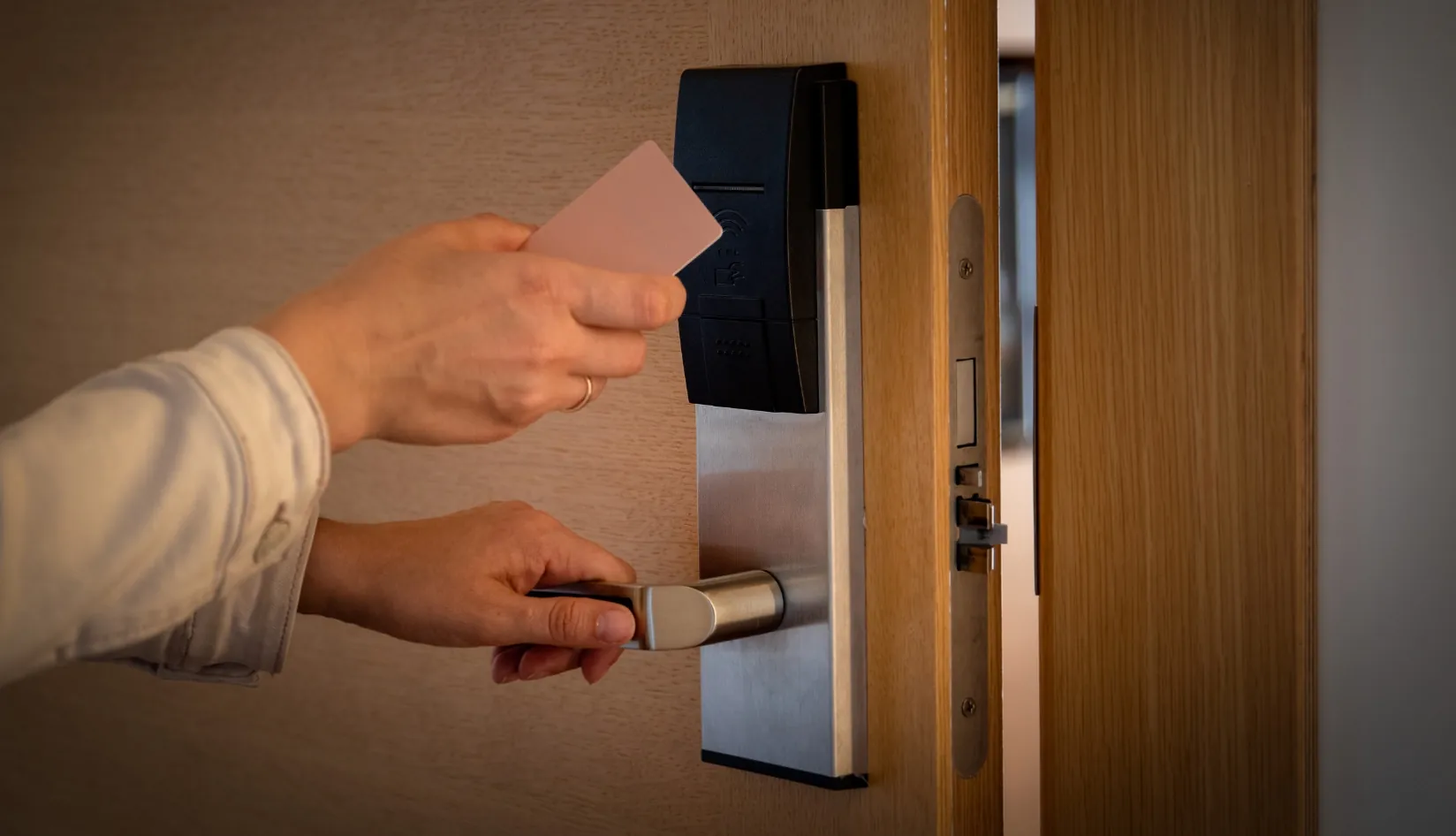
Upgrading the locking system is a routine procedure for hotels to ensure operational efficiency, enhance security, and improve customer experience. However, post-upgrade, many hotels find that their hotel key cards stop working properly, causing disruptions in their operations. To help hotel managers quickly identify the root causes of these issues and resolve them in a timely manner, this article will explore common reasons behind hotel key card failures after a hotel lock system upgrade and provide a set of targeted solutions to ensure that hotel operations can swiftly return to normal.
1. Card Authorization Expiry
During the system upgrade, the hotel management system may reset or update the authorization settings for hotel key cards. This means that previously valid authorizations might be canceled, leading to the deactivation of old hotel key cards. This issue typically arises when the upgraded system automatically updates the card’s validity or permission configurations, rendering the authorization information invalid and unusable.
For instance, some hotel management systems automatically clear all stored authorization settings during the upgrade process to ensure the new system can reconfigure permissions from scratch. This can lead to all un-updated hotel key cards becoming invalid in the new system.
Solution:
To prevent issues arising from card authorization expiry, hotels should take the following measures:
Check Card Expiration: First, verify the authorization information of the hotel key cards to confirm if expiration is the reason for the cards not working. If this is the case, the issue can be resolved by reauthorizing or reissuing new cards.
Reauthorize Hotel Key Cards: If the cards are indeed expired, the hotel should promptly reauthorize these cards in the new system. Most systems allow for manual or bulk updates of the card’s authorization information.
Configure Automatic Authorization Updates: To prevent similar issues from occurring in the future, hotels can configure the system to automatically update authorization settings following a system upgrade. This ensures that new hotel key cards and their permissions remain consistent, avoiding deactivation due to expired authorization.
By following these steps, hotels can quickly restore the normal functionality of hotel key cards, allowing guests to check in smoothly and enhancing operational efficiency.

2. Software Configuration Errors
During the system upgrade, software configurations may contain errors, particularly in areas such as recognizing old hotel key cards, validating permissions, and managing expiration dates. Such configuration errors can incorrectly mark previously valid hotel key cards as invalid. This usually occurs when the system settings are not properly adjusted to meet the requirements of the new version or when configuration oversights happen during the upgrade process. As a result, even if the hotel key cards themselves are fine, the system may incorrectly determine that they lack valid permissions, preventing them from functioning properly.
For example, the hotel management system might fail to accurately recognize the validity period or permissions of RFID cards during the upgrade, or certain settings may not sync correctly with the lock system, leading to the failure of the cards to be read successfully.
Solution:
To avoid hotel key card failures due to software configuration errors, hotels should take the following measures:
Verify System Configuration: First, check the system configuration to ensure that the settings post-upgrade are correct. Key configurations—especially those related to hotel key card recognition, reading settings, and permission management—should align with the new lock system and hotel key card specifications. If any configuration errors are found, they should be promptly corrected.
Conduct Comprehensive System Testing: After completing the system upgrade, perform thorough testing to ensure all hotel key cards can be recognized and access the locks successfully. By simulating various scenarios and usage cases, check the performance of all hotel key cards in the new system to ensure that each card’s validity and permissions can be accurately read.
Implement Ongoing Monitoring Post-Upgrade: For a period after the system upgrade, hotels should continuously monitor the use of hotel key cards and locks. By collecting feedback and issue reports, potential configuration problems can be identified quickly and addressed in a timely manner.
By carefully examining and adjusting system settings, hotels can avoid hotel key card failures caused by software configuration errors, thereby enhancing system reliability and customer satisfaction.
3. RFID Card Encoding Errors
During the system upgrade, the encoding rules for RFID cards may change, especially when updating the security protocols of the lock system or the management system. If the new system requires a different encoding method and the existing RFID cards are not reprogrammed or updated accordingly, the cards may be unable to interact properly with the new system. These encoding errors typically occur in the following two situations:
Change in Encoding Rules: The new system may require the cards to store data differently, such as using distinct encryption algorithms or data formats, leading to incompatibility with old cards.
Data Update Omission: During the upgrade process, it’s possible that not all card data was updated, causing some cards to retain the old encoding scheme, which makes them incompatible with the new locking system.
Solution:
To address RFID card encoding errors, hotel management can take the following steps:
Ensure Compatibility of RFID Card Encoding with the New System: During the upgrade, it’s crucial to confirm whether the new system introduces new encoding rules or encryption algorithm requirements. If so, ensure that the existing RFID cards can adapt to the new encoding standards. If they are incompatible, the hotel should consider replacing the key cards or reprogramming the existing ones.
Reprogram RFID Cards: If the encoding of the existing cards does not meet the requirements of the new system, the hotel should reprogram these cards to align with the new encoding rules. This can be accomplished using specialized RFID programming devices to ensure all cards’ data complies with the new requirements.
Bulk Update Card Information: To prevent issues with individual cards, hotels can bulk update the RFID card information through the system. This ensures all hotel key cards receive the same updates to meet the new system’s requirements, thereby reducing potential compatibility issues.
Test Card Effectiveness: After the card encoding updates are completed, carry out comprehensive testing to ensure all hotel key cards function correctly in the new system. Verify that they can interact with the lock system and successfully unlock doors, avoiding situations where cards become unusable due to encoding errors.
By ensuring the encoding of RFID cards is compatible with the new system, hotels can effectively resolve key card failures due to encoding issues and maintain a seamless guest experience.

4. Door Lock Hardware Failures
During the system upgrade, updates and adjustments to the door lock hardware may not have kept pace, resulting in hotel key cards being unrecognized. If the firmware and hardware of the locks have not been properly updated, compatibility issues with the new system can arise, leading to key card failures. Specific problems include:
Lock Firmware Not Updated: The new management system may introduce enhanced security requirements or different communication protocols. If the lock firmware isn’t updated in a timely manner, it may not support the new system’s requirements.
Hardware Malfunctions: There may be inherent failures in the door lock hardware itself, or configuration errors during the upgrade process may prevent proper recognition of RFID cards. These faults can relate to the lock’s circuitry, sensors, or receivers.
Solution:
To address hardware failures with door locks, hotel management can take the following steps:
Check and Update Lock Firmware: Ensure that all door locks have firmware versions that meet the requirements of the new system. Hotels can use tools or technical support provided by the suppliers to update the lock firmware to ensure compatibility with the new system and RFID cards.
Confirm Compatibility of Lock Hardware: Before the upgrade, verify whether the existing lock hardware is compatible with the new management system. If the hardware is outdated or cannot effectively integrate with the new system, the hotel should consider replacing it to ensure smooth system operation.
Inspect Lock Receivers and Sensors: Sometimes, the inability of the locks to recognize cards can be due to faults or miscalibration in the receivers or sensors. Ensure that these hardware components are functioning correctly and can effectively communicate with RFID cards. If any faults are detected, promptly contact the supplier for repair or replacement.
Test Lock and Key Card Compatibility: After firmware updates and hardware inspections are completed, conduct extensive testing to ensure each lock can properly recognize RFID key cards, allowing guests to access their rooms smoothly.
By thoroughly checking and updating the door lock hardware, hotels can resolve issues that prevent key cards from functioning, ensuring stable system operation and enhancing the guest experience.
5. Network Connectivity Issues
During the upgrade of the hotel’s RFID system, network connectivity problems can prevent key card data from being updated or synchronized, leading to key card failures. Many modern hotel management systems rely on the network for real-time data synchronization, including key card authorization, lock control, room status updates, and more. If the network is compromised, the system may fail to complete necessary updates, resulting in non-functional key cards. Common network issues include:
Network Failures: The hotel’s network might experience outages or instability, preventing the RFID system from synchronizing data, which in turn affects the authorization and use of key cards.
Network Configuration Errors: During the system upgrade, network settings might be inadvertently altered or improperly set, causing ineffective communication between the system and lock hardware.
Insufficient Bandwidth: If the hotel’s network bandwidth is inadequate, it can lead to delays or losses in communication between the system and locks, impacting the key card authorization process.
Solution:
To address network connectivity issues, hotel management can follow these steps to diagnose and repair the problem:
Check Network Stability: First, ensure that the hotel’s network connections are stable, especially the local area network (LAN) and internet connection relied upon by the RFID system. Conduct a thorough network diagnostic to identify any faults or bottlenecks and resolve these network issues to maintain overall system stability.
Verify Network Configuration: Inspect the configurations of the system and network devices, ensuring that the communication settings between the RFID system and locks are correct. If any errors are found in the network configuration, adjust the settings promptly to support the normal operation of the system and hardware.
Optimize Network Bandwidth: Ensure that the hotel’s network has sufficient bandwidth to support the operation of the RFID system, especially when it involves substantial data synchronization. If bandwidth is found to be lacking, consider upgrading network equipment or optimizing network load to enhance performance.
Regularly Maintain Network Equipment: To prevent network issues from recurring, it’s advisable to conduct routine checks and maintenance on network equipment, including routers, switches, and firewalls, ensuring they operate at their best to guarantee the efficient functioning of the RFID system.
Establish Backup Network Connections: Consider configuring backup network connections for the hotel’s RFID system to ensure that the system continues to run smoothly in the event of a failure in the primary network, thereby avoiding issues with key card usability.
By effectively resolving network connectivity problems, hotels can ensure the smooth operation of the RFID system, preventing key card failures due to network issues, ultimately enhancing overall guest experience and operational efficiency.

6. System Permission Settings Issues
After a system upgrade, the new hotel management system may automatically update or change user permission settings. Such changes can render previously valid key cards unusable, especially when the new permission management rules are not configured correctly. The system’s permission settings determine the usage rights of key cards, including access control to specific areas and the validity period of the cards. If the user permission settings are not reconfigured correctly after the upgrade, the following issues may arise:
Incorrect Card Permissions: The access rights of the key cards may not be properly authorized, preventing guests from using the key cards to enter designated rooms or common areas.
Role Permission Configuration Errors: If the hotel system employs role-based access control, the upgrade process may result in incorrect role permission assignments, affecting the validity of the key cards.
Old Card Permissions Not Updated: During the system upgrade, there may have been an oversight in synchronizing the permission updates for old key cards, rendering them unable to access their corresponding rooms or areas.
Solution:
To resolve system permission setting issues, hotel management can take the following steps:
Check Permission Configuration: Carefully review the permission settings in the new system to ensure that each key card’s access rights align with guest types, room types, and hotel services. Particularly for any permission changes that may arise after the upgrade, adjustments and corrections should be made promptly.
Reassign Role Permissions: If a role-based permission management system is used, check and reconfigure the access rights for different roles. Ensure that employees of varying levels and different types of guests possess appropriate permissions to prevent key cards from being unusable due to permission setting errors.
Synchronize Permission Updates: Verify that the new system can automatically synchronize the permission updates for key cards. After the system upgrade, validate the effectiveness of all key cards, especially for long-term guests or special clients, to ensure that their cards continue to function properly.
Conduct Regular Permission Reviews: To prevent similar issues from recurring, it is recommended that hotels periodically review and update their permission settings. Given changes in personnel, evolving customer needs, or further system upgrades, it is crucial to regularly check whether permission settings require adjustments.
By properly configuring system permissions and reassigning key card usage rights, hotels can ensure the validity of all key cards, avoiding situations where cards fail and ensuring guests check in smoothly, thereby enhancing customer satisfaction.
7. System Compatibility Issues
One of the most common issues after a hotel system upgrade is that the newly upgraded Property Management System (PMS) or lock system may not be compatible with the existing hotel key cards. This compatibility problem is often closely related to changes in encryption algorithms or data formats. The upgraded system may employ more advanced encryption technologies or alter the data storage format, leading to the inability of old hotel key cards to be recognized and communicate successfully with the new system.
For example, if the old system used MIFARE Ultralight C cards, these may not support the more advanced encryption methods (such as AES encryption) utilized by the new system. Consequently, the old hotel key cards become incompatible with the new system.
Additionally, the upgraded system might require more complex data formats (like MIFARE DESFire® EV2 cards), which the old hotel key cards cannot meet, resulting in functionality issues.
Moreover, the old system may have employed static key management, whereas the new system could introduce dynamic key updates (such as with MIFARE® Plus or MIFARE DESFire® cards). Old hotel key cards may not support this dynamic updating feature.
Solution:
To prevent these issues from arising, hotels should confirm the compatibility of the new system with the existing hotel key cards before upgrading. If incompatibilities are discovered after the system upgrade, the following solutions can be considered:
Upgrade or Replace Hotel Key Cards: If the new system requires a higher version of hotel key cards, the hotel can choose to procure cards that support the new encryption algorithms.
By implementing the measure, hotels can ensure a smooth transition to the new system and avoid hotel key card failures caused by compatibility issues.

Conclusion
While system upgrades can enhance hotel management efficiency, they may also lead to the failure of RFID key cards. By checking compatibility, reauthorizing, and adjusting software configurations, you can effectively resolve these issues and ensure smooth hotel operations. If new RFID key cards need to be issued after the upgrade, we offer a variety of chip technologies that can seamlessly adapt to different systems. Feel free to contact us for free samples to test, ensuring that the new cards interact perfectly with your locking system and help restore normal operations as quickly as possible.
FAQ (Frequently Asked Questions)
1 Do I need to replace key cards after a system upgrade?
Not necessarily. Whether key cards need to be replaced post-upgrade depends on system compatibility, card authorization, and encoding. If the existing RFID key cards are compatible with the new system, and after necessary configurations and updates, they should continue to function properly. If incompatibility is found, replacing the key cards may be necessary to ensure smooth system operation. We also provide various RFID chip technologies for key cards; feel free to contact us for sample testing.
2 How can I quickly restore use if the card authorization has expired?
If the authorization information of a key card has expired, it can be restored through reauthorization. Most modern hotel management systems support automatic updates for card authorization details. You can check the authorization settings within the system to ensure that the validity of the key cards is maintained. If needed, you can issue new key cards to guests. Ensuring correct system configuration can significantly reduce issues caused by expired authorizations.
3 How can I ensure that similar issues do not arise after a system upgrade?
To prevent key card failures after a system upgrade, it is advisable to conduct a comprehensive inspection of both the system and hardware. Ensure that the new system is compatible with existing key cards, timely update RFID tag encoding, and regularly check the stability of door lock hardware and network connections. Additionally, when configuring the system, ensure that permission settings are accurately configured and perform thorough testing. Regular maintenance and upgrades can also ensure that the system remains in optimal condition, minimizing potential technical issues.
Recommended Products
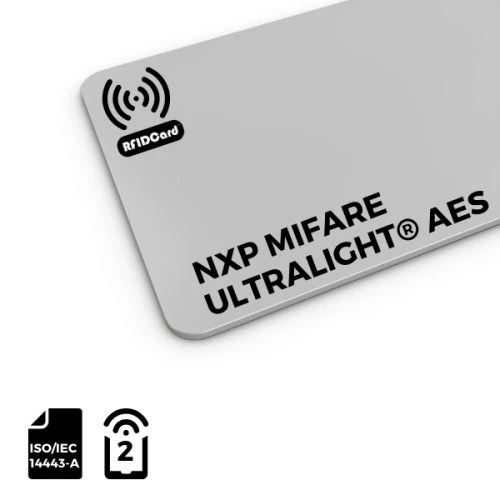
MIFARE Ultralight® AES PVC RFID Card

MIFARE Ultralight® AES PVC card is a contactless smart card based on MIFARE Ultralight AES chip, which supports AES encryption authentication, provides excellent performance and security, and is the highest security card in the MIFARE Ultralight® series. The card is made of PVC material and is widely used in access control, public transportation, ETC, events management, etc.