


NFC technology, that is, near-field communication technology, has gradually been integrated into our daily life and work. By mastering how to program NFC tags, both ordinary consumers and business managers can experience the convenience and innovation brought by this technology. Next, we will provide you with a detailed guide to show you how to program an NFC tag.
Basic knowledge of how to program an NFC tag
Before we dive into NFC tag programming, we need to understand how NFC tags work. An NFC tag is a storage device with a built-in small chip that can be read and written by an NFC-enabled mobile phone or a dedicated card reader. Different types of NFC tags have different storage capacities and characteristics.
The basic steps for programming an NFC tag include: preparing an NFC reader and corresponding programming software, bringing the NFC tag close to the reader, selecting and writing the required data or actions to perform, and finally saving and testing the tag’s functionality.
How to Program an NFC Tag on Android vs iPhone
Programming NFC tags differs depending on whether you are using an Android device or an iPhone, mainly due to system-level limitations and NFC access permissions.
NFC Tag Programming on Android
Android devices generally offer more flexibility when it comes to NFC tag writing and automation. Most Android smartphones support both reading and writing NFC tags without major restrictions.
To program an NFC tag on Android:
- Enable NFC in your device settings
- Download an NFC writing app such as NFC Tools or NXP TagWriter
- Open the app and select the type of data or action you want to write (URL, Wi-Fi, contact, automation, etc.)
- Place the NFC tag close to the back of your phone
- Write and save the data to the tag, then test it to ensure it works properly
Android also supports more advanced automation features, allowing users to trigger multiple actions from a single NFC tag, such as opening apps, changing phone settings, or connecting to Wi-Fi networks.
NFC Tag Programming on iPhone
iPhone devices support NFC tag reading and writing, but the available functions depend on the iPhone model, iOS version, and the NFC tag format.
To program an NFC tag on iPhone:
- Use a compatible iPhone model with NFC support
- Install an NFC writing app such as NFC Tools
- Select the NDEF record you want to store, such as a URL, text, contact information, or Wi-Fi settings
- Place the NFC tag near the top of the iPhone and write the data
- Read the tag again to verify that the information has been saved correctly
For automation scenarios, iPhone users can also use the Shortcuts app. An NFC automation uses a scanned NFC tag as a trigger and runs selected actions stored on the iPhone. These actions are not written into the NFC tag itself.
Key Differences Between Android and iPhone NFC Programming
- Android offers full NFC read/write flexibility with third-party apps
- iPhone supports NFC writing but with system-level restrictions
- Android allows more advanced automation scenarios
- iPhone relies heavily on the Shortcuts ecosystem for automation
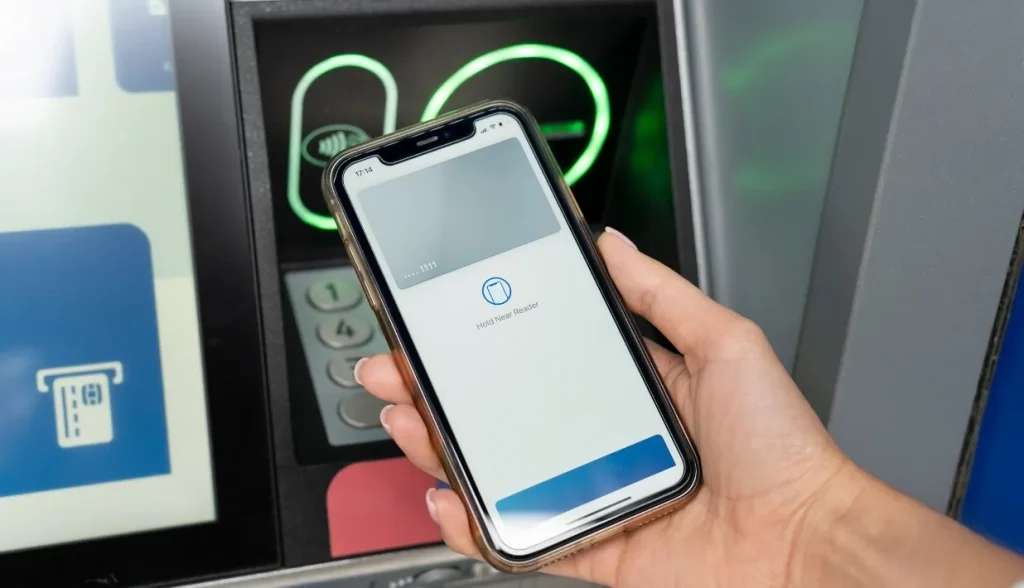
How individuals program an NFC tag
For the average consumer, programming NFC tags can greatly simplify daily tasks. First, you can buy a starter kit that includes an NFC tag and reader. Then, download a suitable NFC programming app from the app store, such as “NFC Tools” or “TagWriter”. With these apps, you can easily program NFC tags to perform specific actions, such as:
Automatically connect to home Wi-Fi: Set an NFC tag to contain your home network’s SSID and password, and tap the tag to connect automatically.
Quickly open apps or websites: Program an NFC tag to directly open your favorite apps, music playlists, or online shopping sites.
Convenient recording and sharing: Use NFC tags to quickly record shopping lists, to-do items or share social media information.
How do business managers program NFC tags?
In enterprise environments, NFC tag programming provides managers with powerful tools to optimize operations and improve security. Here are some of the key ways of how to program an NFC tag that business managers can leverage NFC tags.
Access control and security management
Program NFC tags as employee identification cards for authentication in and out of sensitive areas.
Through professional NFC programming software, the employee’s identity information and access rights are written into the tag.
Deploy NFC card readers at access control points. When employees swipe their cards, the system verifies the tag information and decides whether to allow entry.
Asset Management
Attach NFC tags to important assets and record the details of the assets (such as purchase date, warranty period, etc.).
Use an NFC phone or dedicated card reader to regularly scan asset tags for inventory and tracking.
Program tags to contain unique identifiers to accurately track and manage assets in the database.
Meeting check-in and personnel management
Provide participants with ID cards with NFC tags.
Set up an NFC card reader at the entrance of the venue, and participants can sign in by swiping their cards. Real-time statistics of check-in data facilitate meeting organization and management.
Customized solutions
Customize the programming content and functions of NFC tags according to the specific needs of the enterprise.
Cooperate with professional NFC solution providers to develop NFC application systems that meet the actual needs of enterprises.
Software and Hardware Selection
Choose NFC programming software and hardware that supports the capabilities your business needs. Ensure the compatibility and stability of software and hardware to ensure the smooth operation of the system.
Training and technical support
Conduct NFC technology training for corporate employees to ensure they understand how to use NFC tags and readers correctly. Establish long-term relationships with technology providers to obtain timely technical support and maintenance services when needed.
By taking full advantage of the flexibility of NFC tag programming, business managers can significantly improve work efficiency, security and asset management capabilities. In addition, with the continuous development of NFC technology, there will be more innovative applications waiting for enterprises to explore and implement in the future.

Troubleshooting about how to program an NFC Tag
During the process of writing NFC tags, you may encounter problems such as the tag not being recognized or writing failure. These issues are usually caused by incompatible card readers, incorrect software settings, or damaged labels. To help you better solve your problem, we will provide answers to frequently asked questions at the end of the article. If you are interested, you can go and have a look.
As NFC technology evolves, programming NFC tags has become an important skill. It not only simplifies personal life but also brings huge business value to enterprises. Start exploring the world of how to program an NFC tag now! Through the guides and resource links provided in this article, I believe you can easily master this skill and create more interesting and innovative application scenarios.
FAQs
1. What should I do if the NFC tag cannot be recognized by the mobile phone or card reader?
First, make sure the NFC function is enabled on your phone or reader. Then check whether the device supports the NFC tag type and data format. If the tag cannot be detected at all, inspect it for physical damage or antenna failure. If the tag can be read but the application does not respond as expected, check the related app settings, permissions, or credential status.
2. Why does writing fail during programming an NFC tag?
Writing failure may occur for several reasons, including an unsupported tag type, insufficient memory capacity, write protection, incompatible apps or readers, or connection issues during writing. Before retrying, confirm that the NFC tag is writable, the data fits within the available memory, and the app and reader support the selected tag format. Keep the tag within reading range during the writing process and avoid moving it until the operation is complete.
3. Why can’t another card reader read the NFC tag I wrote with one card reader?
This may be due to compatibility differences between different card readers. Please make sure the card reader you use supports the type of NFC tag you purchase.
4. Can NFC tags be reused?
Yes, NFC tags can usually be reused. However, if the data on the tag is encrypted or subject to other security restrictions, it may not be modified or rewritten.
Recommended Products

NFC Card Topaz512 | NFC Tag Type 1

The Topaz512 IC fully comply to NFC Forum Type 1 Tag and ISO/IEC 14443A specifications., the Topaz512 NFC card is uniquely identified by a 7 bytes UID with 454 bytes of user memory.


