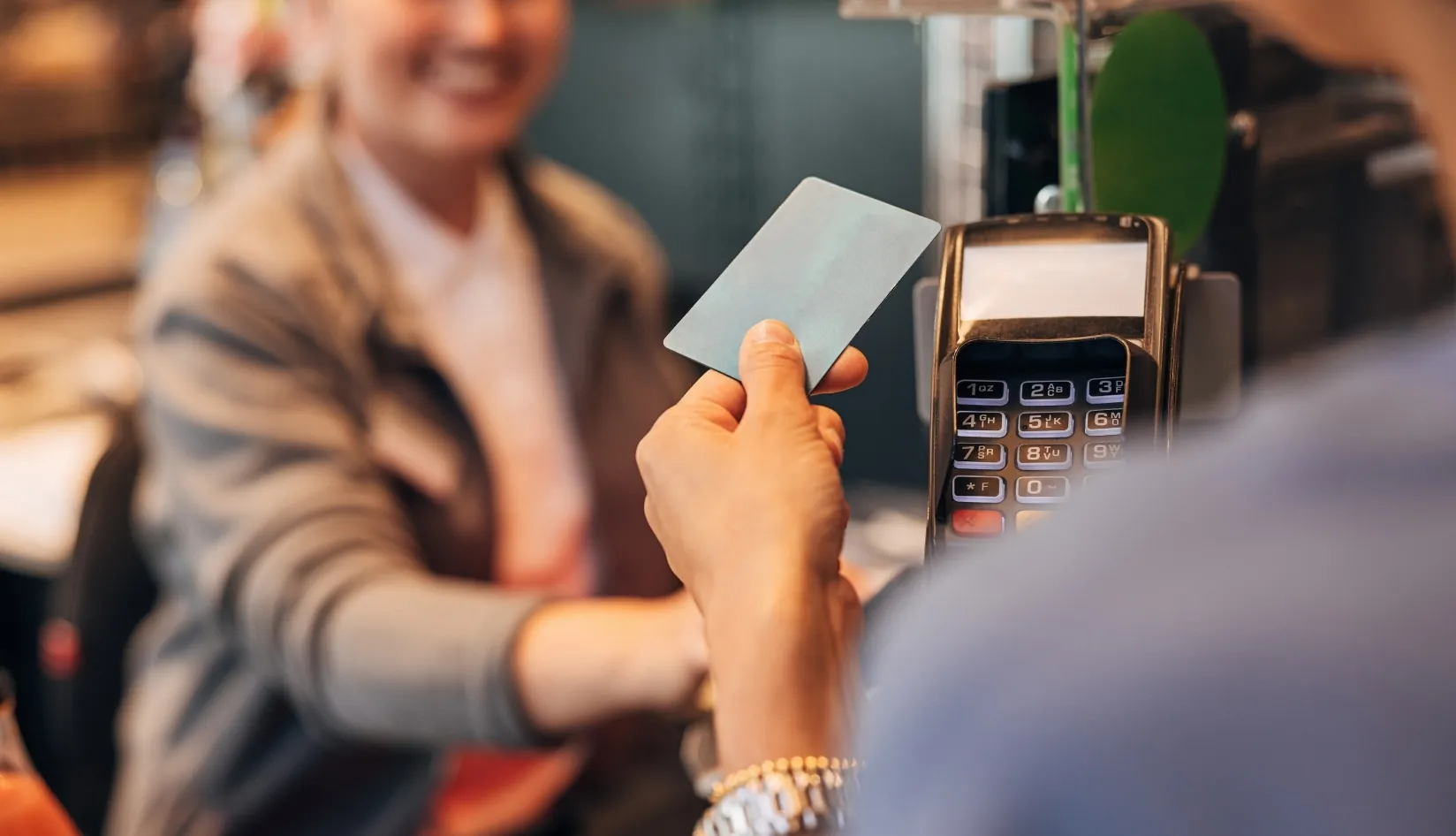
Have you ever tapped your phone to make a payment or scanned a tag to unlock information? NFC is behind those seamless experiences. From mobile payments with services like Apple Pay and Google Pay to contactless ticketing for public transport, the applications of NFC are vast. It’s not just limited to financial transactions; smart posters, interactive advertisements, and even automating simple tasks at home through smart tags are all part of the NFC ecosystem. In this guide, you’ll learn all about what NFC is, how it works, and why it’s a game-changer for both consumer and business applications.
1. What is NFC Technology?
NFC, which stands for Near Field Communication, is a short-range wireless communication technology that allows two devices to exchange data at close distances (usually a few centimeters). Unlike other wireless technologies, NFC operates within a very short range, typically up to 4 cm, making it particularly suitable for scenarios that require security and precise control, such as mobile payments and access control systems.
NFC technology is widely used in daily life because it enables quick and secure data transmission without contact. Additionally, it has low energy consumption, making it ideal for integration into portable devices such as smartphones. With NFC, users can easily complete payments, pair devices, or read information on tags simply by tapping them.
Difference Between NFC and RFID
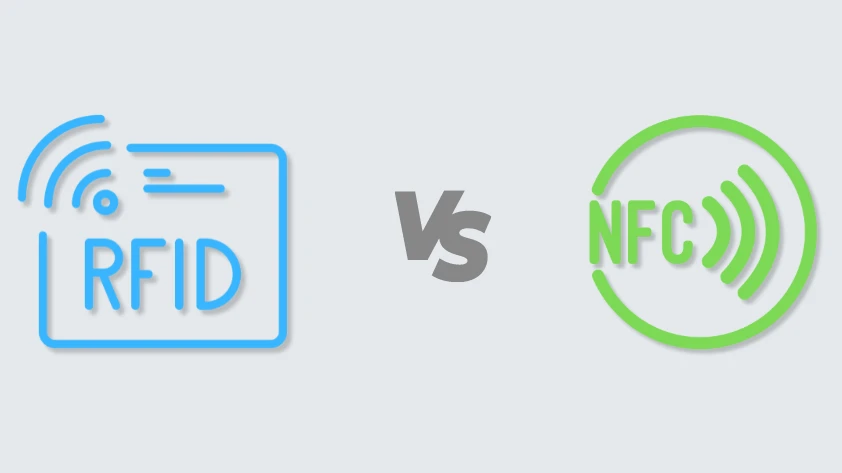
Although NFC is derived from RFID (Radio Frequency Identification) technology, there are clear differences between the two in terms of function and application. RFID is typically used for longer-distance communication, with a typical reading range of several meters or even further, while NFC has a very limited working range and can only exchange data within a few centimeters.
Additionally, NFC supports two-way communication, meaning that two NFC devices can send and receive data to each other, whereas RFID is usually one-way communication—the RFID reader sends a signal to the tag, and the tag responds passively. This two-way communication gives NFC an advantage in scenarios where device interaction is required (such as file sharing and pairing devices).
In terms of application scenarios, NFC is more commonly used for interactions in daily life, such as mobile phone payments, access control, and smart posters; while RFID is widely used in inventory management, asset tracking, logistics, and other situations that require large-scale, batch identification.

2. History and Development of NFC
The development of NFC technology can be traced back to 2002 when it was jointly developed by Sony and Philips. In 2004, the NFC Forum was established to promote and standardize the application and development of NFC technology. Members of the forum include major global technology companies such as Google, Apple, Samsung, and Microsoft, who collectively advocate for the standardization and popularization of NFC.
With the rise of smartphones, NFC began to rapidly penetrate the market in the 2010s, especially in the field of contactless payment. In 2014, Apple launched Apple Pay, marking an important milestone in the development of NFC payments. Subsequently, Android devices also widely supported NFC payment.
Today, NFC has become an indispensable part of smart devices, used not only for payments but also widely applied in scenarios such as smart homes, transportation cards, and social media interactions. The security and convenience of NFC make it one of the key technologies driving the development of the Internet of Things (IoT).
3. The Working Principle of NFC Technology
NFC uses electromagnetic induction to exchange data between devices. When two NFC-enabled devices are close to each other, one device emits an electromagnetic field, and the other device senses and communicates through this electromagnetic field. NFC operates at a frequency of 13.56 MHz, which is specified by the International Organization for Standardization (ISO). Since its working distance is usually within a few centimeters, this ensures the security and accuracy of communication, especially in sensitive applications such as payment and access control.

Compared to other wireless technologies, the advantage of NFC is that it does not require a complicated pairing process. Simply bringing the devices close together allows them to automatically establish a connection and start communicating. This feature makes NFC particularly convenient for user experience.
Key Components of NFC Technology
An NFC system consists of two key components: NFC tags and NFC readers.
NFC Tags: A tag is a passive device with an embedded antenna and a small memory. It does not require an external power source and relies on the electromagnetic field emitted by the NFC reader. When the tag enters the electromagnetic field range of the reader, it is activated and sends the information stored in it back to the reader. For a deeper look at NFC tag types, operating principles, and real-world use cases, read our comprehensive NFC Tag Guide.
NFC Readers: A reader is an active device that can generate an electromagnetic field to read and write information in NFC tags. Most modern smartphones have built-in NFC reader functions that can interact with tags.
NFC Communication Modes
NFC communication modes describe how devices transfer energy and data during communication. There are three main modes:
Active Communication Mode:
- Definition: In active communication mode, both devices generate their own RF field and send and receive data through this RF field.
- Application Scenario: Typically used for point-to-point communication, such as two devices exchanging data with each other (e.g., file sharing).
- Features: Each device needs to be powered because they must generate an RF field.
Passive Communication Mode:
- Definition: In passive communication mode, only one device (usually a card reader) generates an RF field, while the other device (usually a tag or card) uses this RF field for data transmission without generating its own RF field.
- Application Scenario: Commonly used for communication between NFC tags and devices, where tags do not require built-in power.
- Features: Low energy consumption, suitable for NFC tags without power.
Bidirectional Communication Mode:
- Definition: Bidirectional communication is a data exchange mode in which two devices can send and receive data simultaneously, typically requiring support from active mode.
- Application Scenario: For example, when two devices transfer files to each other, the bidirectional communication mode is utilized.
NFC Operation Modes
The operation mode describes the behavior and functional role of NFC devices in different application scenarios. There are three main operation modes:
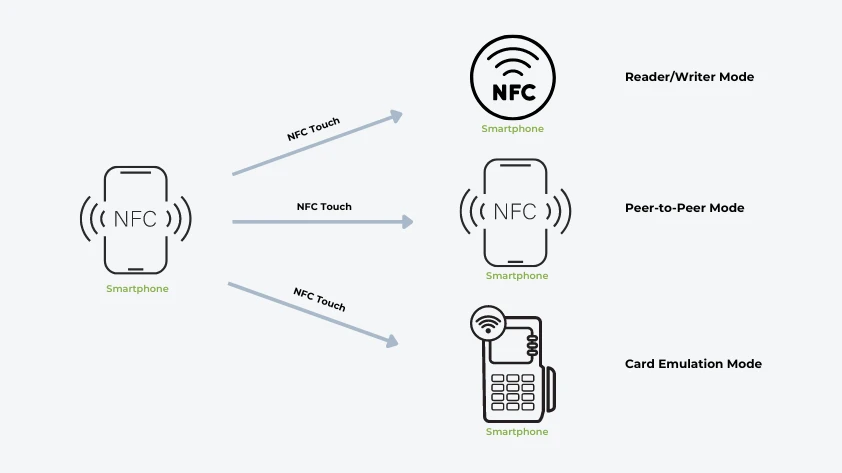
Reader/Writer Mode:
- Definition: In reader/writer mode, the NFC device acts as an active device to read or write data on the NFC tag. The device generates a radio frequency field while the tag operates in passive mode.
- Application Scenarios: Commonly seen in NFC-enabled mobile phones reading information from NFC tags or NFC cards.
- Features: Reader/writer mode is primarily used to interact with passive tags (such as smart tags and access control cards).
Card Emulation Mode:
- Definition: In card emulation mode, the NFC device simulates a passive NFC tag or card, allowing other readers to access its information.
- Application Scenarios: Used in payment systems (such as Apple Pay and Google Pay) or access control systems, where the device can emulate a bank card or access control card to interact with the card reader.
- Features: NFC devices such as mobile phones can passively respond to external readers and writers in this mode.
Peer-to-Peer Mode:
- Definition: In peer-to-peer mode, two NFC devices exchange data and can read or send information to each other. Communication in this mode can be bidirectional.
- Application Scenarios: Such as sharing files or transferring data between two smartphones.
- Features: Similar to Bluetooth point-to-point communication, but based on NFC’s short-range and low-energy characteristics.
4. Main Functions of NFC Technology
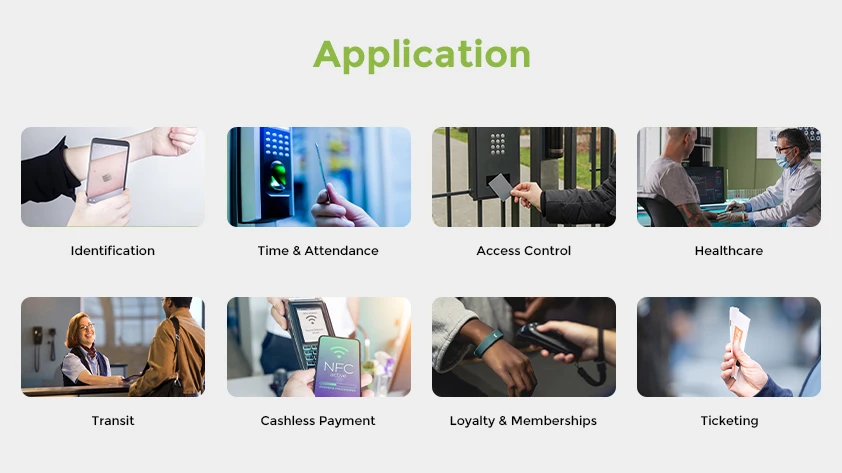
NFC is not limited to payment; it is also used in many daily scenarios, improving users’ life efficiency and interactive experience.
Contactless Payment
The most well-known function of NFC is contactless payment. Payment platforms such as Apple Pay, Google Pay, and Samsung Pay all utilize NFC technology to achieve a fast and secure payment experience. Users only need to bring their mobile phones or smartwatches close to the payment terminal to complete the transaction without inserting cards or entering passwords. The efficiency of NFC payment has made it widely used in retail, catering, public transportation, and other fields.
Data Sharing
Another important function of NFC is data sharing. Users can quickly share contact information, photos, web links, and more through the NFC function. This is typically achieved through “NFC Bump,” meaning that data can be automatically transferred by simply bringing two NFC-enabled devices together. Although this function has been partially replaced by technologies such as Wi-Fi Direct and Bluetooth, it still provides convenience for scenarios that require simple and fast data transmission.
Public Transportation and Access Control Systems
Many cities’ public transportation systems have adopted NFC technology. Users can take subways, buses, and other means of transportation by simply touching their mobile phones or smart cards to the terminal device. NFC’s fast response and high security also make it an ideal choice for access control systems, widely used in access control for companies, schools, apartments, and other places.
Social Networking and File Sharing
NFC can also be used for social network interaction. For example, some applications allow users to quickly add friends or exchange social media accounts with each other through NFC functions. Additionally, file sharing has become simpler and faster. Although Bluetooth and Wi-Fi technologies dominate most file transfers, NFC still provides a simpler and more direct way, especially when pairing devices for the first time; NFC can help quickly establish Bluetooth connections.
Smart Posters and Marketing
NFC smart posters are a novel marketing tool. Users can automatically open specific web pages, download applications, or participate in promotional activities by simply placing their mobile phones close to posters with NFC tags. Through this interactive method, brands can provide consumers with instant and personalized experiences and increase user engagement.
Home Automation
In the field of smart homes, NFC can be used to trigger different automation tasks. Users can program NFC tags and place them in various locations in the home, such as at the door or next to the workbench. As long as the device is close to the tag, the preset actions (such as turning on the lights, playing music, locking the door, etc.) will be automatically executed. The convenience of NFC makes the home automation system smarter and more user-friendly.
5. NFC and other wireless technologies
Although NFC performs well in short-distance communication, it is not the only wireless communication technology. In practical applications, NFC is often used together with other technologies (such as Bluetooth, infrared, and Wi-Fi). In order to help users better understand the characteristics of NFC, this section will compare the differences between NFC and other wireless technologies in terms of performance, application scenarios, and advantages.
| Feature | NFC | Bluetooth | Infrared | Wi-Fi |
| Communication Range | Up to 4 cm | Up to 100 meters | Requires line of sight, typically 1 meter or less | Up to several meters |
| Pairing Speed | No pairing needed, instant connection | Requires pairing, faster with Bluetooth 5.0 | Slow, needs precise alignment | Requires router connection; Wi-Fi Direct simplifies device connections |
| Data Transfer Speed | Low, suitable for small files | High, good for large files | Very low, only for simple commands | Very high, supports streaming and large downloads |
| Power Consumption | Extremely low | Higher, needs stable power | Low, minimal power | High during continuous connections |
| Use Cases | Contactless payments, access control | Wireless headphones, smart home devices | Early remotes, now mostly obsolete | Large data transfers, network connectivity |
| Key Advantages | Instant, low power, secure | Long-range, high-speed | Low power but limited use | High-speed, long-range |
| Key Disadvantages | Limited range, low speed | Requires pairing, higher power consumption | Requires line of sight | Complex setup, higher power consumption |
6. What is an NFC Tag?
NFC tags are an important part of NFC technology, and many NFC application scenarios rely on these small, passive tags. An NFC tag is a small, passive electronic tag embedded with a microchip and an antenna to store a small amount of data. When an NFC device (such as a smartphone) is closed, the tag is activated and transmits data through electromagnetic induction. NFC tags do not require battery power and rely entirely on the electromagnetic field emitted by the NFC reader, allowing them to remain functional for a long time and at a low cost.
NFC tags are widely used in a variety of scenarios, including product tracking, access control management, mobile payments, and smart advertising. Each NFC tag can store different data, such as URLs, text, contact information, etc., depending on its storage capacity and application requirements.
Common NFC Tag Types

NFC tags come in various forms and types, and different tag types can be selected for different application scenarios. Here are some common NFC tag forms and their applications:
Sticker: NFC sticker tags are widely used in scenarios such as smart posters, marketing advertisements, and product labels. By scanning the sticker, users can get more information, visit websites, or receive coupons. This tag is lightweight, flexible, and easy to deploy.
Card: This tag is the same size as a common credit card and is often used for identity authentication and access control. For example, many companies and schools use NFC cards as passes for employees and students.
NFC Wristband: Wristband tags are suitable for occasions that need to be worn, such as large-scale events, sports events, and entertainment facilities. By scanning the wristband, users can quickly enter the venue, make payments, or participate in interactions.
NFC Garment Badge: This tag is often used on occasions such as exhibitions and conferences to facilitate participants to interact with exhibitors. Users can scan NFC badges to obtain business card information or other relevant materials.
Google Review Cards: Google Stand is a smart display tool designed for the retail and advertising industries. Merchants can integrate NFC tags on the stand to facilitate customers to scan the code to obtain product information or place orders directly.
These different types of NFC tags are selected according to application requirements and environmental conditions. They are flexible and easy to deploy and are suitable for multiple industries and scenarios.
Programming NFC Tags
NFC tags can not only store static information but also implement more complex interactive functions through programming. Here are the basic steps for programming NFC tags:
Select NFC Tags: First, choose the appropriate type of NFC tags. Different tags have varying capacities and functions, so you should clarify the usage scenarios and requirements before making a selection.
Download NFC Programming Applications: Install a dedicated NFC programming tool on your smartphone. Common applications include “NFC Tools” and “TagWriter by NXP.” These tools can help users easily program tags.
Create Instructions or Write Information: After opening the programming tool, select the type of information to be written to the tag, such as a URL, text, phone number, or custom instructions. Depending on application requirements, users can create different automated tasks, such as turning on Wi-Fi, sending text messages, or making calls.
Write Tags: Hold the NFC tag close to the NFC reader area of the phone, and then write information through the application. The entire process usually takes only a few seconds to complete.
Test Tags: After writing, use an NFC device (such as another mobile phone) to scan the tag to ensure that the written information works properly.
Through simple programming, NFC tags can achieve a variety of applications. For example, businesses can provide product details through NFC tags, retailers can use tags for smart marketing, and individual users can optimize daily tasks by programming tags.
If you don’t know how to encode NFC tags, you can also click here to watch this video to learn.

How to Use NFC Tags
NFC tags are used almost everywhere, and they can bring many conveniences and benefits to users and businesses.
Usage Scenarios:
Product Information Acquisition: Merchants can attach NFC tags to products, allowing consumers to simply scan the tags to obtain detailed product information, usage instructions, or traceability records. This provides users with instant and transparent information, enhancing brand trust.
Smart Advertising and Marketing: Embed NFC tags in advertising posters or promotional materials, enabling users to directly access websites, watch videos, or receive discount coupons by scanning the tags. This interactive marketing method improves user engagement and advertising effectiveness.
Home Automation: Users can automate the operation of home devices by programming NFC tags. For instance, an NFC tag near the door can automatically unlock the door or turn on the smart lighting system.
Conferences and Exhibitions: At exhibitions, participants can quickly exchange business card information or obtain more exhibit introductions by scanning NFC badges or booth labels. This greatly simplifies the process of information exchange and improves efficiency.
Benefits of Using NFC Tags
Convenience: NFC tags do not require pairing or additional operations. Information transmission or task execution can be completed simply by bringing the devices close together, simplifying the user experience.
Flexibility: NFC tags can be programmed according to different needs, supporting various types of data and tasks, making them highly adaptable.
Low Cost and High Efficiency: NFC tags are inexpensive and particularly suitable for large-scale deployment. The interactive experience and data acquisition functions they offer can provide companies with significant marketing advantages.
Environmentally Friendly: NFC tags do not require battery power and have extremely low power consumption, making them a green and environmentally friendly technology option.
7. NFC Devices and Compatibility
As NFC technology becomes more popular, an increasing number of devices support NFC, especially smartphones, payment terminals, and other consumer electronics.
Which Phones Have Built-in NFC?
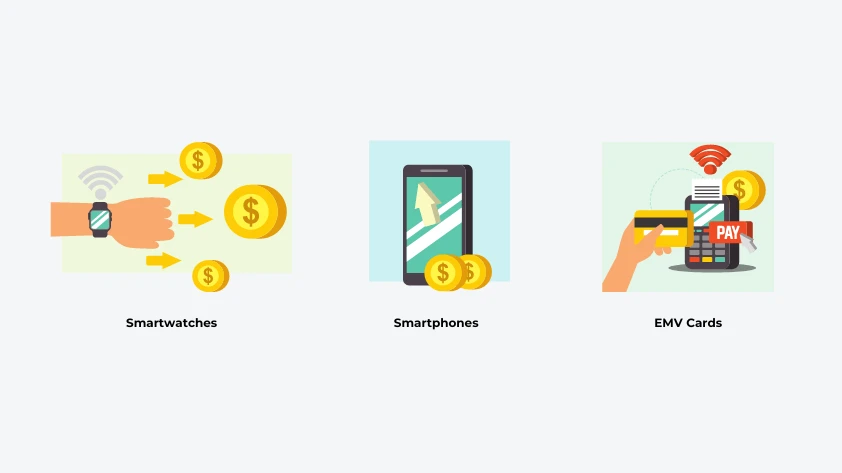
Today, most mainstream smartphones come with built-in NFC. Here’s an overview of some common brands and models:
Apple: iPhone 6 and later models (including iPhone SE, iPhone 11, 12, 13, 14, etc.) support NFC, primarily for Apple Pay and other applications.
Android: Most Android phones (such as the Samsung Galaxy series, Huawei Mate and P series, Google Pixel, etc.) support NFC. Specific models may vary by region, but it is almost universal in mid-to-high-end devices.
Windows Phone: Some Windows Phone devices also support NFC, but their market share is small and applicability is limited.
Other Devices: Some smartwatches, tablets, and wearable devices may also be equipped with NFC, typically for payment or connecting smart home devices.
When buying a new phone, users can check the specifications of the device to confirm whether it supports NFC.
How to Set Up NFC on Apple and Android Phones?
The steps to set up NFC on different platforms vary slightly but are relatively straightforward:
Setting Up NFC on an iPhone:
- Check Support: Ensure your iPhone model supports NFC (iPhone 6 and above).
- Enabling Apple Pay: Go to Settings > Wallet & Apple Pay and follow the prompts to add a credit or debit card. Apple Pay automatically enables NFC.
- Using NFC: After turning on NFC, you can make payments or perform other operations by simply holding your device near an NFC tag or terminal. No additional setup is required by the user.
Setting Up NFC on an Android Phone:
- Check Support: Ensure your Android phone supports NFC.
- Enabling NFC: Go to Settings > Connected Devices > NFC and turn on the NFC switch.
- Using NFC: After enabling NFC, users can hold their phone near an NFC tag or device to transfer data or make payments.
The setup steps may vary slightly between different brands of Android devices, but the overall process is similar.
8. NFC Standards and Protocols
NFC technology follows a series of international standards and protocols to ensure compatibility and interoperability between different devices. Here are some important standards:
ISO/IEC 14443: This standard defines contactless card communication and is widely used in payment cards and access cards.
ISO/IEC 15693: This standard applies to high-frequency NFC tags, typically used in applications that require longer reading distances.
NFC Forum: Founded in 2004, the NFC Forum is an industry association that has developed a series of NFC standards to promote the development and popularization of NFC technology. The NFC Forum defines the operating modes and application program interfaces (APIs) of NFC.
The existence of these standards and protocols enables seamless connections between NFC devices of different brands and models, enhancing the user experience.
NFC Forum’s NFC Tag Classification
The NFC Forum classifies NFC tags into five main types, each with different characteristics and application scenarios. Here is a brief introduction to these five types.
| Type | Description | Features | Applications |
| Type 1 Tag | Based on ISO/IEC 14443A standard, simple and cost-effective | Read/write, ~2KB data storage, easy to program | Product labels, ticketing, basic information sharing |
| Type 2 Tag | Also based on ISO/IEC 14443A standard, more complex than Type 1 | Read/write, up to 2KB data storage, widely compatible | Advertising, marketing, access control |
| Type 3 Tag | Based on ISO/IEC 18092 standard, higher capacity and speed | Read/write, up to 2MB data storage | Smart posters, interactive marketing |
| Type 4 Tag | Supports ISO/IEC 14443A/B standard, very flexible | Read/write, up to 32KB data storage, multiple write capabilities | Financial services, identity verification, security |
| Type 5 Tag | Based on ISO/IEC 15693 standard, designed for long-range applications | Higher capacity and faster transfer rates | Asset tracking, smart transportation systems |
9. How Businesses Can Leverage NFC Technology
As NFC technology continues to evolve, businesses across various industries are discovering innovative ways to leverage its unique features to enhance operations, improve customer experiences, and streamline processes. Below are some of the key applications where NFC can add value to different sectors.
| Industry | NFC Application Scenarios |
| Retail | – Smart posters for product details and promotions. – Mobile payments for seamless checkout. – Product info via NFC tags. |
| Finance | – NFC smartphones replacing traditional bank cards. – Electronic receipts to reduce paper waste. |
| Hospitality | – NFC room keys for improved check-in. – Quick guest identification for personalized services. |
| Entertainment & Sports | – NFC smart tickets for faster venue entry. – Data gathering for enhanced event interactivity. |
| Logistics & Supply Chain | – Real-time product tracking with NFC tags. – Reducing counterfeiting risks. |
| Healthcare | – Quick patient identification using NFC. – Tracking medication storage and usage. |
| Transportation & Public Services | – Easy access to public transport with NFC. – Fast payment and entry/exit in parking management. |
| Smart Home | – NFC tags controlling smart appliances. – Enhanced security through NFC. |
| Advertising & Marketing | – Interactive ads sharing digital business cards. – Targeted marketing for engaging ads. |
| Culture & Tourism | – NFC tags in museums for multimedia guides. – Interactive experiences to enhance visitor engagement. |
10. Advantages of NFC Technology
The popularity and wide application of NFC technology stem from its unique advantages. These advantages make NFC stand out in various scenarios and become the preferred choice for users and enterprises. In this section, we will explore the main advantages of NFC technology.

Instant Connection
One of the biggest features of NFC technology is its instant connection capability. Users only need to bring their devices close to NFC tags or readers to achieve fast connection and data exchange. Compared with traditional Bluetooth or Wi-Fi connection methods, NFC does not require pairing or manual settings, which greatly simplifies the user’s operation process.
Wireless Exchange
NFC enables contactless data exchange, improving the user experience. In public places such as stores, transportation, and exhibitions, users can complete payments or transmit information without touching the device, reducing physical contact during interaction and providing a safer and more hygienic method.
Technology Standardized by Security Standards
NFC technology uses various security mechanisms, such as encryption and security authentication, to ensure the security of data during transmission. These security standards provide protection for users, making NFC widely used in sensitive applications such as financial payments and identity authentication.
No Network Connection Required
A significant advantage of NFC technology is its network-independent nature. NFC tags and devices can transmit data without an Internet connection, making it flexible for use in a variety of scenarios, especially in areas with poor network coverage.
Reduce Carbon Footprint (Green Sustainable Development)
The low energy consumption of NFC technology aligns with the concept of sustainable development. Since NFC tags do not require battery power and use very little energy, they help companies achieve digital transformation while reducing energy consumption, and meeting environmental protection requirements.
Convenient and Affordable
NFC tags are low-cost and easy to implement and deploy, making them particularly suitable for small and medium-sized enterprises and individual users. Users can quickly build their own NFC applications through simple programming or by purchasing ready-made tags, reducing technical barriers and development costs.
Enhance User Engagement
NFC technology provides a rich interactive experience that can attract user attention. For example, merchants can use NFC tags to provide personalized discount information, interactive games, and event participation methods to enhance the connection between users and brands and increase user engagement.
Data Collection and Analysis
Through NFC technology, companies can easily collect user behavior data and analyze consumer preferences and needs. This data helps companies optimize marketing strategies, improve products, and enhance customer service, thereby enhancing their market competitiveness.
11. How to Choose the Right NFC Product
When choosing the right NFC product, users need to consider multiple factors to ensure that the selected product can meet specific needs. Here are some key selection criteria and considerations.

Cost
Cost is an important consideration when selecting an NFC product. Users should evaluate the overall investment of the product, including purchase price, installation costs, and maintenance costs. Based on the budget, choose the right product type and quantity. Additionally, compare the cost performance of different brands and models to ensure the best return on investment.
Function
Different NFC products have different functions. Users need to clarify their needs, such as:
- Payment Function: If payment needs to be implemented, choose a product that supports contactless payment.
- Data Transmission: If data exchange is required, select a tag or device with high reading and writing speeds.
- Compatibility: Ensure that the selected product is compatible with existing systems and devices, especially in an enterprise environment.
Compatibility
The compatibility of NFC products is crucial. Make sure that the selected product supports a variety of devices and operating systems, particularly mainstream Android and iOS systems. Additionally, consider the consistency of NFC tag standards (such as ISO/IEC 14443, and ISO/IEC 15693) with the device to ensure seamless connection and data transmission.
Tag Type
Choose the right NFC tag type based on the application scenario. For example, keychain tags are suitable for access control and identity recognition, while sticker tags are ideal for advertising and promotional activities.
Data Capacity
Different types of NFC tags have different data storage capacities. Choose the right data capacity based on the amount of data that needs to be stored. For instance, simple links or text information can use small-capacity tags, while applications that need to store larger data (such as multimedia information) require higher-capacity tags.
Security
When choosing NFC products, security is a factor that cannot be ignored. Users should select products with encryption and security authentication mechanisms to protect sensitive data. For applications involving financial transactions or identity authentication, ensure that the product meets industry standards and regulatory requirements.
User-Friendliness
The friendliness and ease of use of the user interface directly affect the user experience. Choose products with simple settings and operation processes so that end users can easily get started and improve efficiency.
Support and Service
Finally, consider the support and service provided by the supplier. Choose a supplier that can offer good after-sales service and technical support to address any issues that may arise during implementation and use.
12. How to Test and Implement NFC Technology
After deciding to adopt NFC technology, it is crucial to ensure its normal operation and smooth implementation. An effective testing and implementation process can help enterprises and users fully leverage the advantages of NFC technology and improve work efficiency.

Testing Process
Device Compatibility Test:
Ensure that all devices using NFC (such as mobile phones, readers, and tags) can communicate properly. Confirm compatibility by testing devices of different brands and models against each other.
Tag Reading Test:
Test the reading distance and speed of NFC tags. Bring the tag close to the reader to verify whether it can read data smoothly within the specified distance, and check if the reading speed meets actual application requirements.
Functional Testing:
Perform functional testing based on different application scenarios, such as payment, data exchange, and identity authentication. Ensure that each function works as expected and document any abnormalities.
Security Testing:
Check the security mechanisms of NFC devices and tags, including encryption functions and authentication processes. Ensure that data is protected during transmission and conduct vulnerability testing to identify potential risks.
User Experience Testing:
Invite actual users to participate in the test and gather feedback. Focus on the convenience and any issues encountered by users during use to ensure the user-friendliness of NFC technology.
Implementation Guide
Requirement Analysis:
Before implementation, clarify the application scenarios and requirements, including target users, functional requirements, and expected outcomes. This will help develop a suitable implementation plan.
Select the Right Devices and Tags:
Based on the results of the requirement analysis, choose the right NFC devices and tags. Ensure that they meet performance, security, and compatibility requirements.
Conduct a Small-Scale Pilot:
Before formal implementation, conduct a small-scale pilot test. This will help identify potential problems and make adjustments to ensure smooth large-scale implementation.
Train Users:
Provide training to end users to help them understand how to use and apply NFC technology. Training content can include device operation, troubleshooting, and safety precautions.
Monitoring and Maintenance:
After implementation, regularly monitor the operation of the NFC system, collect user feedback, and make necessary adjustments. Ensure the performance and security of devices and tags during long-term use.
Evaluation and Optimization:
After a period of implementation, evaluate the actual effect of NFC technology, including user engagement and accuracy of data collection. Optimize based on the evaluation results to improve the application effect.
13. NFC’s Security and Privacy Concerns
As NFC technology becomes more prevalent, ensuring the security and privacy of data is essential, especially in sensitive operations like payments and identity verification. For a detailed technical breakdown of how these transactions are protected, you can read our Complete Guide to NFC Mobile Payments Security.
Here are a few key security challenges and basic preventive measures:

Common Security Issues:
- Data Interception: In insecure environments, malicious actors may attempt to capture NFC-transmitted data.
- Device Theft: If a device is lost or stolen, unauthorized users may gain access to sensitive data.
- Malicious Tags: Public NFC tags may contain harmful software or phishing attempts.
Basic Preventive Measures:
- Encryption: Encrypt transmitted data to prevent theft.
- Authentication: Use two-factor authentication and ensure devices are securely paired.
- Regular Updates: Keep NFC devices updated to protect against vulnerabilities.
14. Common Misconceptions About NFC Technology
As NFC technology becomes more prevalent, misunderstandings and misconceptions surrounding it have also increased. These misunderstandings may not only lead to users’ misinterpretation of NFC but may also affect its actual application. Below are some common NFC misconceptions and their clarifications.

Misconception 1: NFC is Only Used for Payment
Many people think that NFC technology is only suitable for contactless payment. However, the application of NFC is far more extensive. It can be used in a variety of scenarios such as data sharing, authentication, access control, smart tags, and file transfer. The versatility of NFC enables it to play an important role in various industries.
Misconception 2: NFC is Not Safe
Although NFC technology has certain security risks, it actually offers a higher level of security than other wireless communication technologies. NFC uses encryption and authentication mechanisms to protect data transmission. Additionally, since the working distance of NFC is usually only a few centimeters, it is more difficult to be intercepted by malicious devices. Therefore, as long as users take appropriate security measures, NFC technology is relatively safe.
Misconception 3: NFC Devices Have Poor Compatibility
While there may be compatibility issues between devices from different manufacturers, most mainstream devices support NFC technology, and industry standards such as ISO 14443 and ISO 15693 ensure interoperability between different devices. When choosing NFC products, users can reduce unnecessary problems by checking compatibility information.
Misconception 4: NFC Tags Can Only Be Written Once
Some people believe that NFC tags can only be written once, but in fact, most NFC tags are rewritable, allowing users to update the stored information as needed. This makes NFC tags very flexible in dynamic data applications, such as smart posters and event sign-ins.
Misconception 5: NFC Technology is Complicated to Use
Many people think that the process of using NFC technology is complicated, but in fact, NFC is very simple to operate. Users only need to bring their devices close to the NFC tag to complete data exchange or payment. This simplicity is one of the reasons why NFC technology is widely popular.
Misconception 6: All NFC Tags Are the Same
There are many types of NFC tags with different storage capacities, functions, and application scenarios. When choosing NFC tags, users should select the appropriate type according to their specific needs, such as keychain tags, sticker tags, and card tags.
15. NFC’s Global Market and Future Outlook
As NFC technology continues to grow, its presence in global markets is becoming more pronounced. From contactless payments to smart devices, NFC is shaping the way we interact with the digital world.

Current Market Trends:
- NFC is widely adopted in contactless payments, smart tags, and data sharing.
- The integration of NFC with other technologies, like Bluetooth and Wi-Fi, is becoming more common.
Future Outlook:
- NFC is expected to see innovation in areas such as faster data transmission and enhanced security.
- New applications will emerge in industries like healthcare, logistics, and smart homes.
While challenges such as security concerns and user education remain, the future of NFC holds exciting potential for businesses and everyday users.
Frequently Asked Questions (FAQs)
1. What is NFC technology used for?
NFC (Near Field Communication) is used for a variety of applications, including contactless payments, data sharing between devices, access control, and smart advertising.
2. How do I know if my phone has NFC?
You can check your phone’s specifications in the settings under “Connections” or “Wireless & networks.” Look for “NFC” or check the manufacturer’s website.
3. Should NFC be on or off?
If you frequently use NFC for payments or data sharing, it’s convenient to keep it on. If not, turning it off can help conserve battery life.
4. How close do you need to be for NFC to work?
For effective communication, NFC requires devices to be within a few centimeters (typically 4 cm or less).
5. How can I increase the range of NFC?
NFC is designed for close-range communication, so increasing its range is generally not feasible. However, using stronger readers or optimizing device placement may help improve signal quality at very short distances.
6. Is NFC payment safe?
Yes, NFC payments are considered secure due to encryption and tokenization technologies. Additionally, transactions require proximity, reducing the risk of interception.
7. What is an NFC reader?
An NFC reader is a device that can communicate with NFC tags or smartphones equipped with NFC. It can read and write data to NFC tags and facilitate transactions.
8. Does keeping NFC on drain my phone’s battery?
Keeping NFC enabled has a minimal impact on battery life, as it only activates during active communication. However, turning it off may conserve battery life if you rarely use it.